












Overview
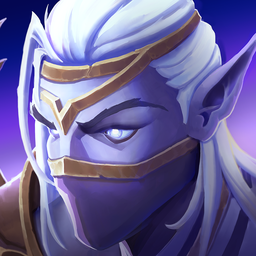
Rime is a ranged spellcaster who utilizes powerful spender abilities to deal massive burst damage. The goal is to prep her burst windows by building Winter’s Orbs and then deal as much damage as possible with your spenders inside of Winter's Embrace windows. When played well, she deals huge AoE damage and extremely strong single target.
Winter's Orbs
Winter Orbs are Rimes unique builder/spender mechanic. You use this resource to cast powerful spells. You can have a maximum of 5 Winter’s Orbs, and it’s extremely important to avoid overcapping this.
Rime generates Winter’s Orbs that are consumed whenever you cast Glacial Blast in Single Target, or Ice Comet for multiple targets. The more orbs you generate, the more damage you can do.
When talented into Icy Talons your Single target spender will be Talon Strike, or Rising Talons for multiple targets
You generate Winter’s Orbs with your main filler ability: Frost Bolt, as well as Cold Snap, Freezing Torrent and Bursting Ice. Since you want to ideally save Bursting Ice to activate your burst windows, your main generators end up being Frost Bolt and Cold Snap.
There are multiple talents that aid the generation of these Winter’s Orbs, and it’s very important to keep an eye on this.
Winter’s Embrace
Since our entire playstyle revolves around the buff called Winter's Embrace, it’s important to understand exactly how this works and how to maximize the effectiveness of it.
While Bursting Ice is active on an enemy, you gain Winter's Embrace, causing you to deal 20% more damage for 3 seconds.
This damage increase comes into effect the instant your Bursting Ice cast finishes and is what we want to play around to maximize our damage. It doesn’t sound like a very long time but you can fit everything you want into this time frame with not a lot of practice. Making sure you fit as many spenders and large impact spells inside of the window is vital to dealing the most amount of damage.
Rotation & Priorities
Rime's rotation is relatively simple - however, there are some changes to your priority list of spells to cast depending on what Legendary you choose and what Talent build you play with. These are covered below.
Basic Priority Rotation
Below is a basic priority list of spells for both Single Target and AoE that are the base foundational priorities without legendaries/talents.
AoE:
- 1x or 2x Cold Snap on gather before stacked.
- Winter's Blessing / Flight Of The Navir / Ice Blitz
- Freezing Torrent
- Bursting Ice
- Cold Snap
- Ice Comet
- Frost Bolt
Single Target:
- Winter's Blessing / Flight Of The Navir / Ice Blitz
- Bursting Ice
- Freezing Torrent (if no Winter's Orbs)
- Glacial Blast
- Cold Snap
- Frost Bolt
As you can see the main differences here are the sequences of when you cast Bursting Ice and what follows.
Bread and Butter Combo
Expanding on the Basic Priority Rotation, rotation ingame falls around one simple combo of skills that changes only slightly depending on talents.
Basic AoE Combo
- Build Winter Orbs
- Bursting Ice
- Ice Comet
- Ice Comet
- Cold Snap
This combo puts the most power inside of your Winter's Embrace window. As long as you fit two Ice Comet and one Cold Snap into each Winter's Embrace window it doesn't matter the order of them.
- Using a Cold Snap into two Ice Comet
- Ice Comet into Cold Snap into Ice Comet
Any combination is viable and still get the most out of the damage buff window. If you get a reset on any of your comets can you cast a third comet during your Winter's Embrace window.
Basic ST Combo
- Bursting Ice
- Glacial Blast
- Cold Snap
Due to not being able to fit two Glacial Blast inside of the Winter's Embrace window, it's best to fit in one other spell and the best candidate would be Cold Snap due to having no cast time. It can also be substituted with a Freezing Torrent to start building Winter Orbs for the next Winter's Embrace window.
Beam Talents ST
- Bursting Ice
- Freezing Torrent
- Cold Snap
Use Glacial Blast as a filler with Beam Talents.
Beam Talents AoE
- Build Winter Orbs
- Freezing Torrent
- Bursting Ice
- Ice Comet
- Ice Comet
- Cold Snap
Chilling Finesse Spender Priority Rotation
If you decide to go the way of Skandi's Sabatons Of Endless Winter and want to play the spender variation, there are more distinct changes than the previous build priorities.
This build revolves around Chilling Finesse and Wisdom Of The North for a few things:
- Maximize Ice Blitz uptime via Cascading Blitz.
- Maximize Anima Gain via CDR on Freezing Torrent and Bursting Ice from Chilling Finesse.
- Spend Orbs in your increased Winter's Embrace window timeframe to reduce Ice Blitz / Flight Of The Navir / Winter's Blessing cooldowns via Wisdom Of The North.
That being said, the AoE and Single Target rotation are far more similar with this build.
AoE & Single Target Priority Rotation
- Winter's Blessing / Flight Of The Navir / Ice Blitz
- Bursting Ice
- Freezing Torrent
- Cold Snap
- Ice Comet (AoE) / Glacial Blast (Single Target)
- Frost Bolt
One caveat here and the main difference to the standard / beam build priority lists is that you cast Bursting Ice / Freezing Torrent off cooldown. This is to make sure that you are generating peak Anima, thus (due to Cascading Blitz) sending more swallows to attack your target and by result extend your Ice Blitz. The only time I would say you do NOT cast Bursting Ice off cooldown is if Freezing Torrent will shortly be back up, as to not miss out on maximizing Chilling Finesse value.
Flight Of The Navir also becomes a far more important CD. This ability makes your Cold Snap and Freezing Torrent send additional Frost Swallows to attack your target, resulting in even more Ice Blitz duration extension. This is the main ability that enables you to retain Ice Blitz between packs on Trash.
Icy Talons
Your rotation changes significantly when using this talent. You will spend a lot more time casting Anima generation abilities instead of spenders. With Icy Talons, when you cast your spender becomes even more important. You want to spend every single Talon Strike / Rising Talons within Bursting Ice. That means the rotation follows a Bursting Ice →Talon Strike / Rising Talons . When running Icy Talons you will most likely also be running Chilling Finesse, so the priority list follows the same one that Chilling Finesse does.
The main thing people struggle with is overcapping on orbs while waiting for their Winter's Embrace windows. To make the rotation more forgiving, you can cast Talon Strike / Rising Talons at 4 orbs as well.
Spender Scenarios
There are a few scenarios you can run into:
5–4 orbs when casting Bursting Ice:
- Bursting Ice
- Talon Strike / Rising Talons
If you get a Spirit proc, spend again. If not, build orbs back up for your next Winter's Embrace window.
Not enough orbs for a Talon spender, Freezing Torrent available:
- Bursting Ice
- Freezing Torrent
- Talon Strike / Rising Talons (once you reach 4 or 5 orbs)
You might not reach 4 or 5 orbs immediately, but will get there after casting Cold Snap following your Torrent. In that case you'll simply spend outside of Bursting Ice and build orbs for the next Winter's Embrace window. We do not want to waste Winter's Orbs. This can't be stressed enough.
Not enough orbs for a Talon spender, Freezing Torrent on cooldown:
Remember you get 3 casts after Bursting Ice that fall inside the Winter's Embrace window, so one of those three should be your Talon spender.
- Bursting Ice
- Cold Snap (if available)
- Talon Strike / Rising Talons (at 4 or 5 orbs). If you're not there yet, Frost Bolt → spender once you reach 4 or 5 orbs
Legendary Variations
Skandi's Bands Of Endless Winter Because Bursting Ice lasts longer, your Winter's Embrace window also lasts longer. This gives you 2 additional casts after Bursting Ice to build to 4 or 5 orbs. I recommend playing this legendary while you are getting used to Icy Talons.
Eldrin Signet Of Undulating Spirits This legendary adds a lot more difficulty to the rotation:
- Your Winter's Embrace window is small.
- You need to cast your Talon Strike/Rising Talons at 5 orbs to make use of undulating spirits get a 5-orb refund.
- This means that sometimes, when I see Bursting Ice coming up and I have Winter's Blessing ready, I will intentionally over cap 1 or 2 orbs so that I'm guaranteed 5-orb spenders for the 3 casts following Bursting Ice. Ideally you wouldn't want this over capping to happen — the risk is that you spend your 5 orbs, don't get a refund, and go into your Bursting Ice window with no orbs and Winter's Blessing on cooldown.
Asha's Chronoshift Spire & You
The ordering should always be use
Flight Of The Navir + Winter's Blessing + Ice Blitz -> Bursting Ice -> Asha's Chronoshift Spire -> Bursting Ice -> Spenders
This is what the rotation looks like at the start of the dungeon if you have enough spirit at the start of the dungeon to ult. Mostly you will save your ult until you can do this exact order of abilities, unless you will over cap from the spirit you get from Asha's Chronoshift Spire.
- Cold Snap
- Cold Snap
- Flight Of The Navir
- Cold Snap
- Cold Snap
- Bursting Ice (to buff Asha's Chronoshift Spire) + Winter's Blessing + Ice Blitz
- Asha's Chronoshift Spire
- Wrath Of Winter
- Bursting Ice
- Rising Talons
- Rising Talons
- Talon Strike (Glacial Assault)
Void-Touched Conduit & You
Void-Touched Conduit has some important things that need mentioning. I think it is important to explain how to master this weapon.
The goal of this weapon is to apply the debuff (ideally to a priority target) and deal as much damage as you can in a 15 second window to max out the damage stored in the debuff. The way you go about this in AoE is very simple, but in Single Target without Spirit Ult it becomes more tricky.
Tips
- Intellect is snapped on cast of your weapon to increase potential amount of damage you can store. An example would be Drakheim's Absolution. The formula is Intellect x 85.
- Damage modifiers (Ice Blitz, Wrath Of Winter, Winter's Embrace) must be active upon detonation or duration lapse of the debuff. In other words you do NOT snap Damage Modifiers upon cast of the weapon - they MUST be active when it pops.
AoE Weapon Rotation (Spender)
- Winter's Blessing / Flight Of The Navir / Ice Blitz / Voidbringer's Touch
- Bursting Ice
- Freezing Torrent
- Cold Snap
- Ice Comet
Single Target Weapon Rotation (Any Build)
- Winter's Blessing / Flight Of The Navir / Ice Blitz
- Glacial Blast (if its prepull and you don't have 2 orbs saved skip this)
- Voidbringer's Touch
- Bursting Ice
- Freezing Torrent
- Cold Snap
- Glacial Blast
- Frost Bolt
- REAPPLY Bursting Ice at end of duration of your Voidbringer's Touch debuff if you did not pop it early!
This rotation is also simple, the reason you send a Glacial Blast before pressing weapon is because the projectile speed of the weapon is faster than Glacial Blast. In other words, you fit an extra Glacial Blast into your Void-Touched Conduit window.
Tips
Let's start with a couple of helpful tips for Rime:
- Always be casting. The difference between a Rime who is always actively casting and using his abilities effectively is big.
- Keep an eye out for set bonuses, these are typically pretty powerful and will greatly aid your damage out-put if you’re able to obtain a set, just don’t spend time farming them early on as ilvl will be more important.
Interface Options
One of the most basic, but important things you can do in Fellowship is mark specific targets or locations. In the input settings you will notice you have the ability to keybind “Mark Unit” and “Mark location”. These can be exceptionally useful for designating targets to kill or important stack points on bosses.
Buffs and Debuffs
Buffs and Debuffs in Fellowship are extremely important, but unfortunately the base UI doesn’t place the display of these in a great location. As a result, I’d recommend moving them closer to the middle of your screen using the “EDIT HUD” feature in the game menu.