
Raiding in Classic World of Warcraft, whether it's The Burning Crusade, Era, SoD, or Mists of Pandaria, is one of the most exciting parts of the game. In World of Warcraft, the most common loot system for these raids is a Soft Reserve/Hard Reserve system. In this article, we break down exactly what that means and how to use Softres.it to manage it all.
Quick Links:
- Creating a Soft Reserve Sheet
- Adding Your Soft Reserves
- Adding Hard Reserves
- Importing Your Soft Reserve Sheet In Game
- Important Tips When Using Softres.it
What Are Soft Reserves and Hard Reserves?
When you are raiding in Classic, you will find that most raid runs include something like 'SR x2' or 'Braid HR' which can seem really confusing at first, but broken down that stands for 'Two Soft Reserves' and 'Serpent-Coil Braid Hard Reserved' respectively.
Soft Reserves
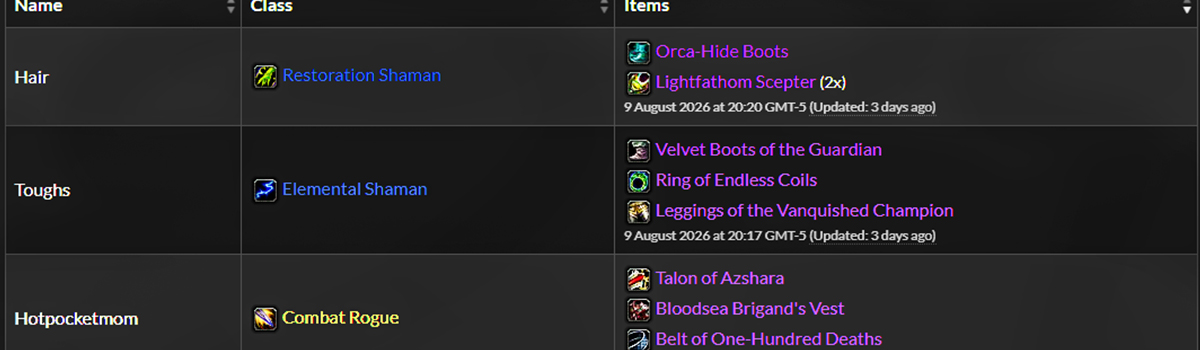
Every raider typically receives a number of soft reserves that they can apply to any item they want in the raid (typically 2 or 3x). Raiders that have soft-reserved an item will receive priority access to that item. This means that if a raider is the only person to soft reserve an item, they will automatically be awarded it, if it drops. If multiple raiders have soft-reserved the same item, only those raiders will be able to roll for it.
Hard Reserves
A 'hard reserve' simply means that the item has already been 'allocated' to a particular player and if the item drops, they will receive it.
Creating a Soft Reserve Sheet (For Raid Leaders)
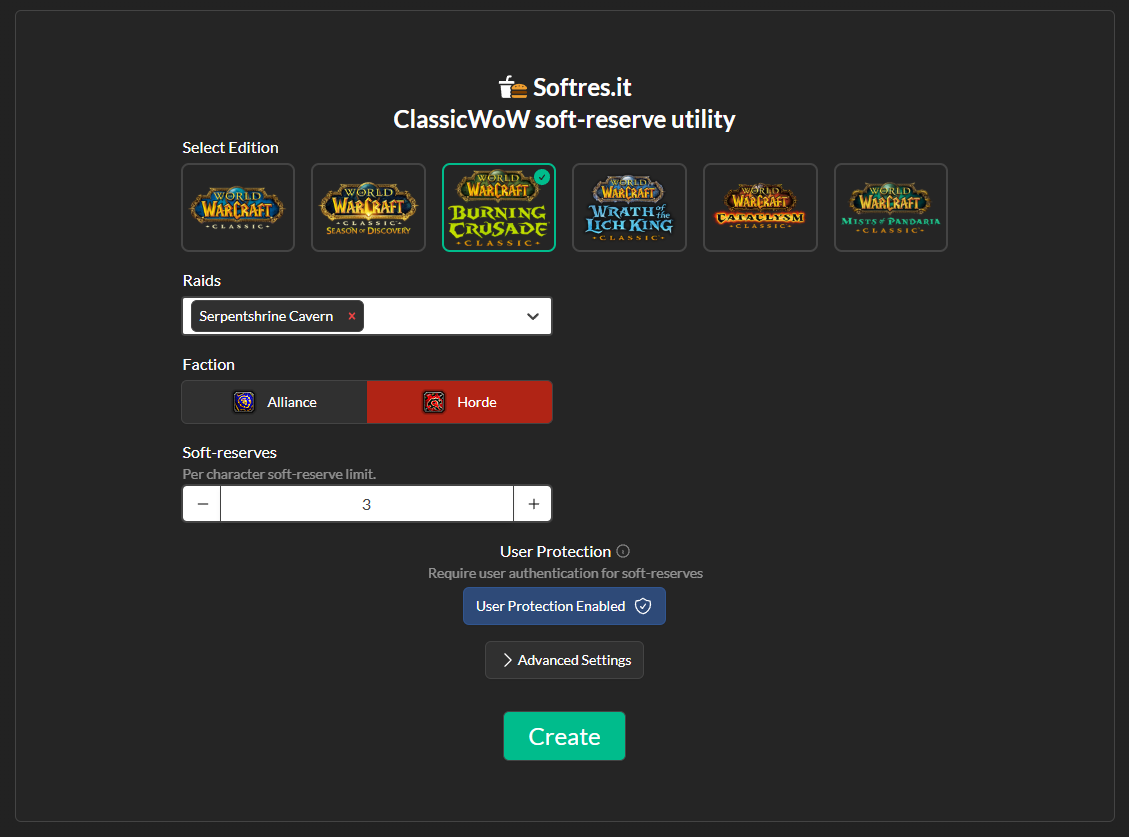
If you are the creator of the Raid, first you will need to create a Softres Sheet. Select the relevant expansion on the homepage of Softres.it and then choose which raid(s) you are creating this sheet for.
Multiple Raids: You can select multiple raids and there are 'Multi-raid Settings' that allow you to set a different number of soft reserves for each different raid. You may also choose to create two separate sheets for each raid if the raid composition is likely to change.
Adding Your Soft Reserves (For Raiders)
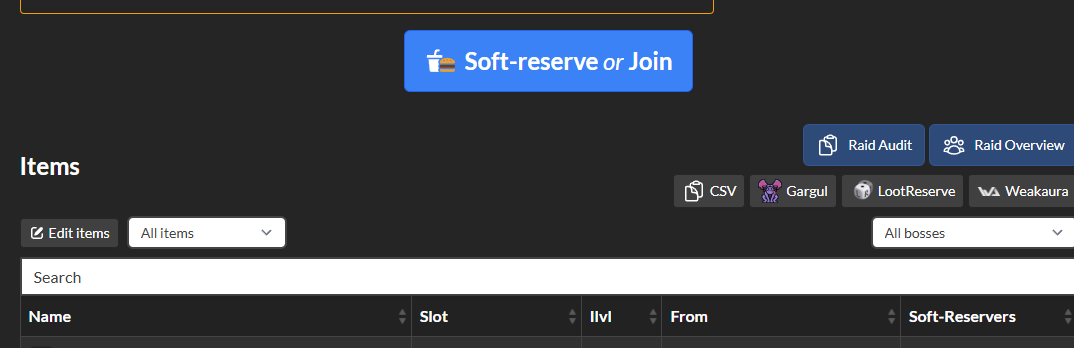
Once you have access to a softres.it raid, typically by receiving a link, you can then join the raid and select your reserves by clicking on the 'Soft-reserve or Join' button, shown below.

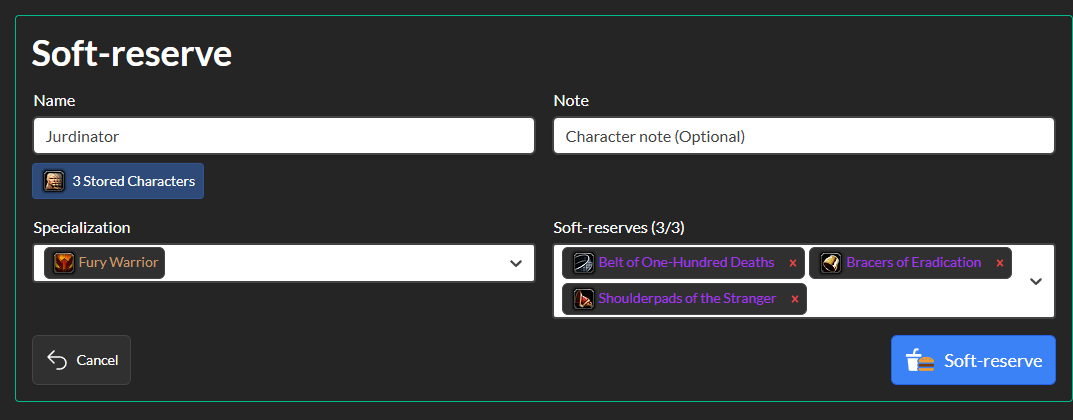
From here, populate your character name, an optional note, your class+ talent specialization, and finally the items you are soft-reserving. Once you have created a character and spec, Softres will save that character as a "stored character" to allow for quicker creation in the future.
Once you're done, you'll click the blue "Soft-Reserve" button to secure your list. if you are just a raider and not the leader or loot master, then your part is now done!
Adding Hard Reserves (For Raid Leaders)
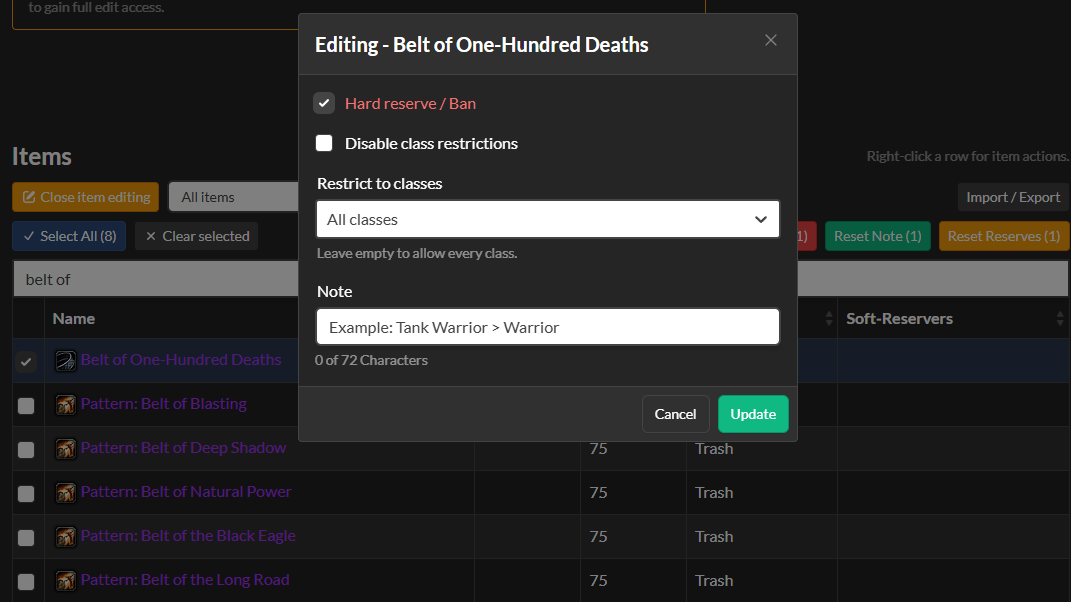
If you want to apply hard-reserves to the raid, hit 'Edit items' in the top left just above the Items list.
From here, you can search up an item, and then when you hit the checkmark on the white box, you can click on the "Ban/Hard reserve" button to add it on there, and then proceed to add a note on why it's hard-reserved, who it's hard reserved for, etc, or enable/disable class restrictions on who gets to reserve it.
Importing Your Soft Reserve Sheet In Game (For Raid Leaders)
There are several addons that have features that allow you to import Softres.it's sheet directly into a sheet and UI in-game. Gargul, Lootreserve, and WeakAuras all have a feature for this. On the right side of the soft-reserve sheet, directly below "Raid Audit" and "Raid Overview" you will find the buttons for each respective addon.
Choose whichever addon you are using, copy the text code, and then paste it into the respective Addon import section. From here, players can test out if the import copied over correctly. For Gargul, whispering the leader "!sr" will have the leader automatically whisper back at you what you soft-reserved for example.
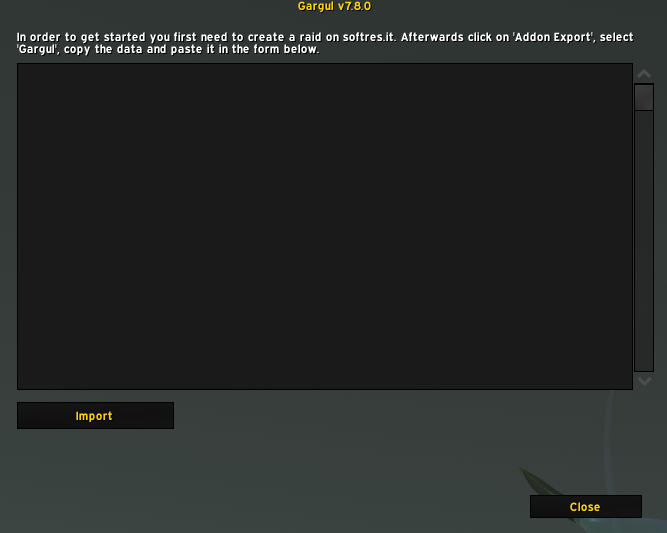
For Gargul, type and enter "/gl sr" and then paste the code into the text box and import
Important Tips When Using Softres.it (For Raid Leaders)
Locking The Sheet
The most important thing a leader needs to do when handling loot is to make as few mistakes as possible. When using this website as a leader, as soon as everyone is done, you need to do two things:
- Import the sheet to one of your in-game addons
- Lock the Softres Sheet
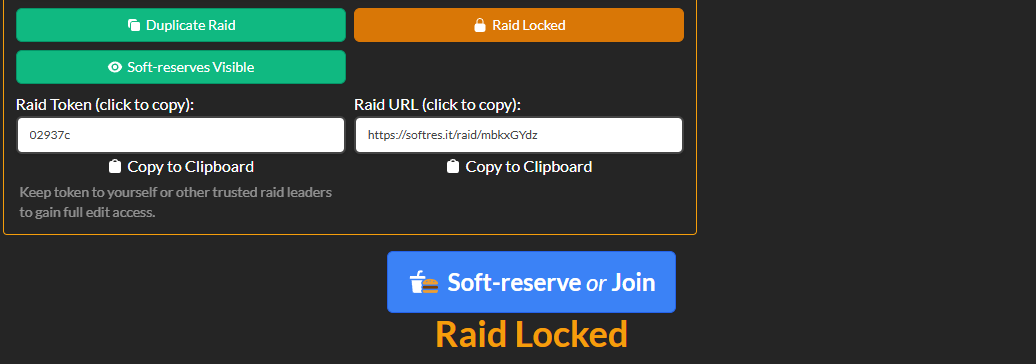
Lock the raid and prevent people from getting additional SR's behind your back!
Locking the Softres sheet prevents players from changing their soft-reserves in the middle of the raid. For example, a Mage reserves the Band of Alar off of Alar in Tempest Keep, and it does not drop. The mage can now change his reserves to something else mid-raid and essentially is gaining another reserve.
If you forgot to lock the Softres.it sheet AND you forgot to import until the middle of the raid, there is another way to check if something fishy happened, and that's by checking the Raid Audit. The Raid Audit (located on the right side above the list section) allows you to see who adjusted their soft reserves and when they did, so if anything occurred mid-raid, you'd have tangible proof of that happening. Leaders can also manually edit or remove soft reserves if need be (these also show up on the audit so don't try anything shady yourself!)
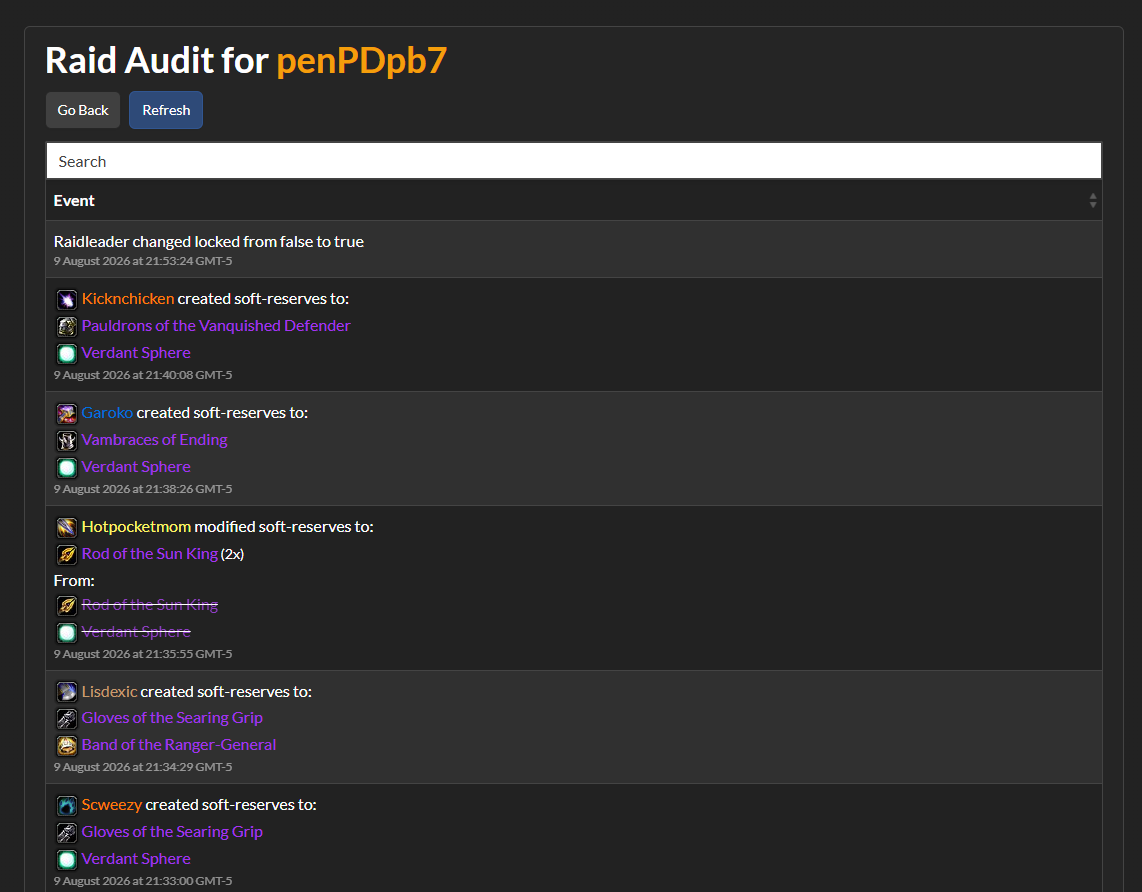
Check the time of an edit and see if it was before or after a boss encounter
Adding Bonus Reserves
Sometimes you may want to gift a player an additional reserve for providing something the rest of the raid doesn't have that might be crucial for that specific instance, or you want to give a specific role like Healers or Tanks an additional item.
To do this, you can either click on their name or the role, or even the class if you want to give everyone of that class an extra soft-reserve, and then select how many extra items they get, and then hit "Update Bonuses".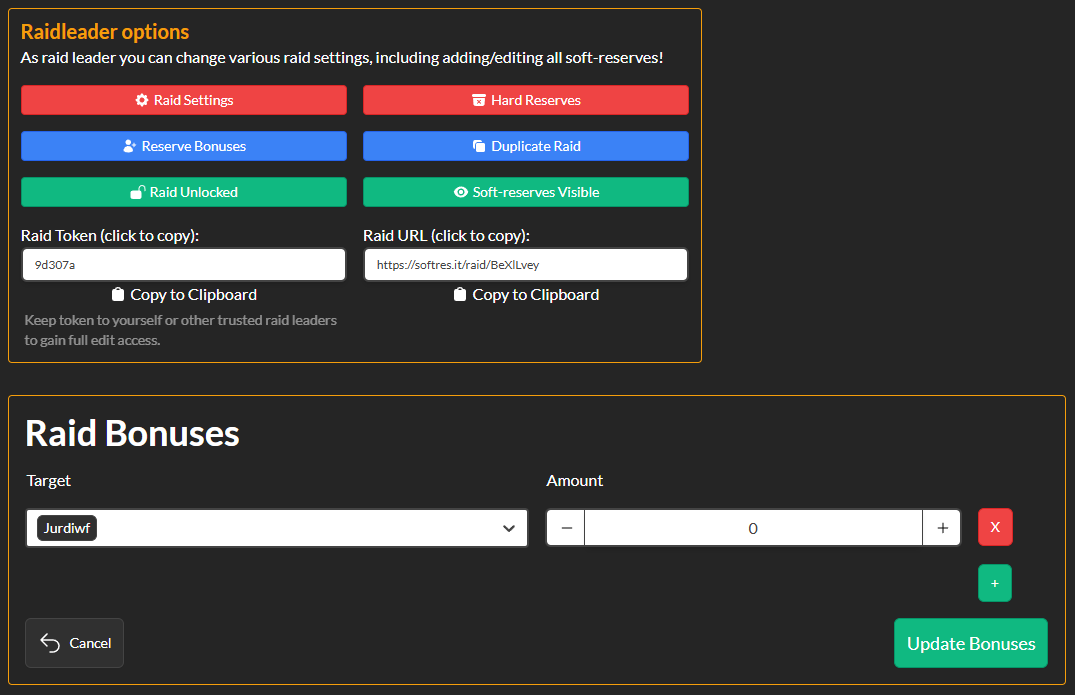
Give Leadership Access to Another Player
If you created the softres.it sheet but are not the leader and want to pass over that access, simply clicking the raid token or raid URL and then sharing it with the individual you want to be the loot-master is all you need to do. Be very careful not to share this with everyone, as these players will all be given access to edit or remove other players' soft-reserves.
Hide Other Players Soft-Reserves
Sometimes, players may be discouraged from attending a raid because too many people are soft-reserving what they want. To prevent this, you can also select "soft-reserves visible" to toggle off seeing everyone else's reserves, and only those with the Raid Token can see who's reserving what items.
We hope this guide makes it easier for you as a lootmaster or raider in your raids! Good luck, have fun, and may the rolls be in your favor!