


Interface
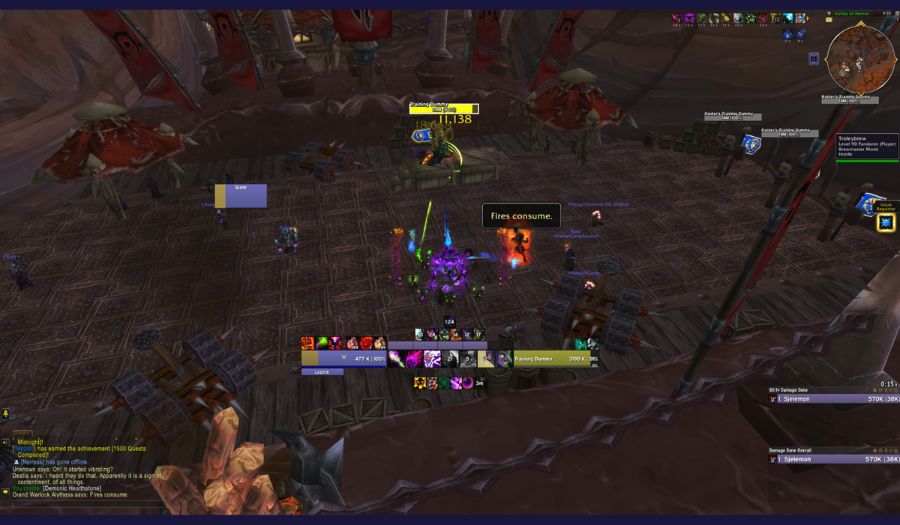
This is the UI I use (insert shameless UI plug here), available for my Twitch subscribers.
UI is very much personal preference and how information is displayed is not something that can be “figured out”. I would say however that the following points are key to be able to track to play demonology effectively:
- Shards
- Dreadstalker/Grimoire/Vilefiend duration
- Diabolist rituals and secondary effects (hero talents)
- Demon Cooldowns
- Cast bar
- Player and target frame
If this is done with Addons like EllesmereUI or simply by using blizzard standard UI is completely personal preference. Outside of these points I think up to each player to decide for themselves what they need or feel comfortable with.
Macros
Drain life stop Burning Rush Macro
Good to have for when you need mobility and need to get some health back after using Burning Rush.
#showtooltip Drain Life
/cancelaura Burning Rush
/cast Drain Life
Interrupt on Focus Macro
To quickly interrupt a target you know you want to interrupt.
#showtooltip
/cast [@focus, harm, nodead][] Axe Toss
Mouseover Exists Macros
A template you can use on anything from Demonbolt and Implosion to utility spells such as Fear, Banish or Axe Toss. Simply copy the macro and replace the current spell with whatever spell you want.
#showtooltip Demonbolt
/cast [@mouseover, exists] Demonbolt; Demonbolt
At Cursor Shadowfury Macro
To quickly cast Shadowfury to stun your target area. This also works for Summon Infernal and Demonic Gateway.
#showtooltip
/cast [@cursor] Shadowfury