

 Up to 84% Off VPN
Interface
This is a screenshot of my Balance Druid UI in combat:
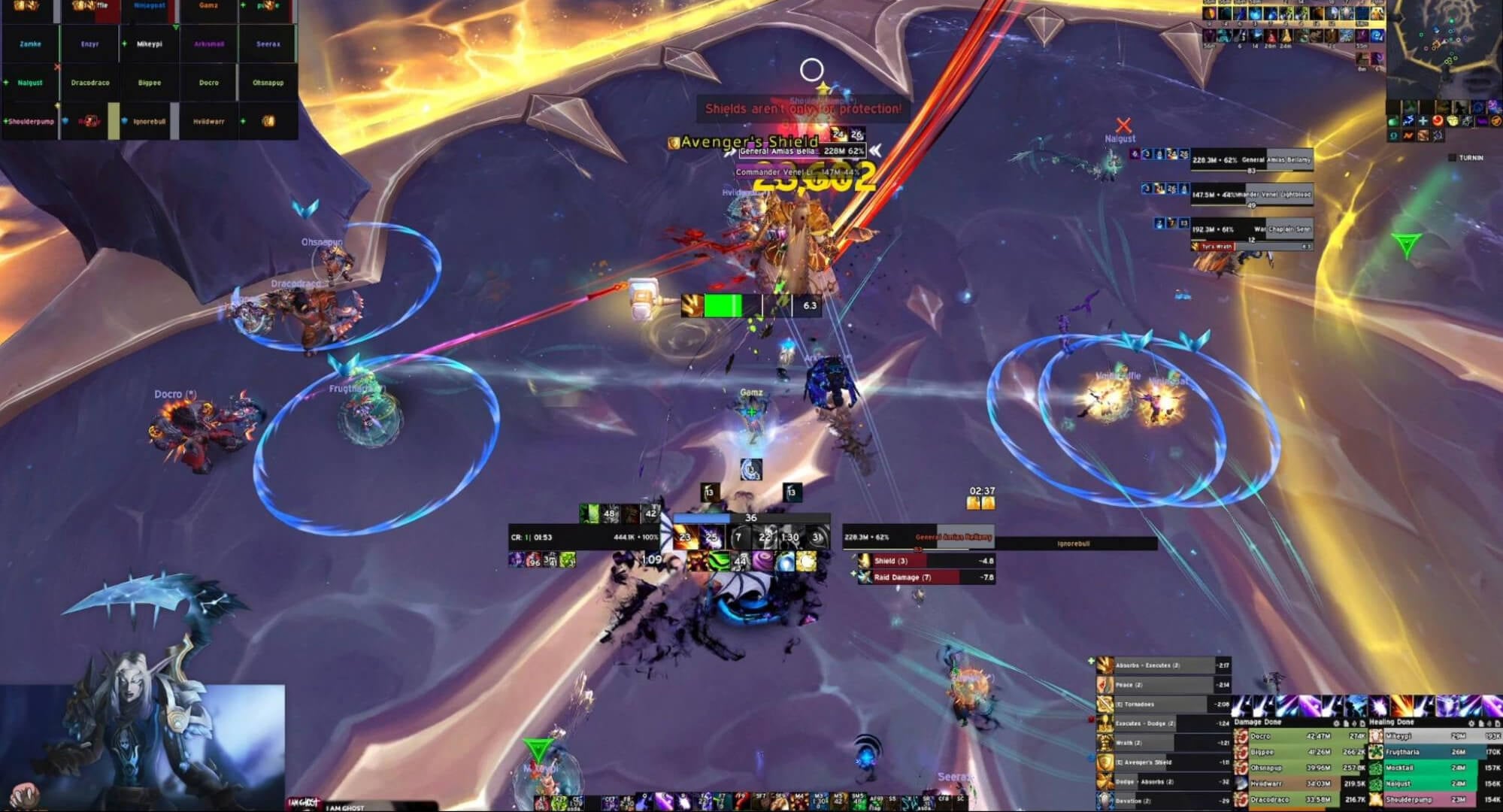
The add-on changes in Midnight shook up the game in a lot of ways, and there are more options than ever out there on what addon or UI to use. Instead of recommending a specific UI, there are some helpful tips to give.
There are usually 3 primary things you need to track; your Astral Power bar, your buffs and your cooldowns. The most common way to do this is with the in-game Cooldown Manager with the help of one or more addons. The first thing you want to have available is an Astral Power bar since the default Blizzard one is not very good. Addons like Twintop's Resource Bar or SenseiClassResourceBar are both good options.
If you want to get a finished UI by someone else, then there are several options available on Wago UI Packs.
Macros
Force of Nature Cursor
This macro lets you cast Force Of Nature at the position of your cursor.
#showtooltip
/cast [@cursor] Force of Nature
Celestial Alignment Cursor Macro
This macro allows you to cast your Celestial Alignment and have your Orbital Strike go to your cursor without having to do multiple clicks.
#showtooltip
/cast [@cursor] Celestial Alignment
Innervate Target Macro
This macro lets you cast Innervate on a specific target, so you don't need to manually target them or have to hover your mouse over the target to cast.
I would recommend using this and a mouseover macro. Replace Name with the healer's name.
/cast [@Name] innervate
Innervate Mouseover
This macro lets you cast Innervate on your mouseover target.
#showtooltip Innervate
/cast [@mouseover,exists] innervate
Sunfire/Moonfire Mouseover Macro
This macro allows you to cast Sunfire on a mouseover target without de-selecting your main target.
This is beneficial for when you need to apply your DoTs to alternate targets, but do not want to de-target a priority target. Furthermore, this mouseover will help apply dots using Boss Frames if you have an addon that allows for proper tracking of your dots on boss frames.
You can customize this to include Moonfire and Stellar Flare as well by simply changing where it says Sunfire to Moonfire or Stellar Flare.
#showtooltip Sunfire
/cast [@mouseover,harm,nodead][@target,harm,nodead]Sunfire
Remove Corruption Mouseover
This macro lets you cast Remove Corruption on your mouseover target. If the target character is dead it will cast Remove Corruption on your current target.
#showtooltip Remove Corruption
/cast [target=mouseover,help,nodead][target=target] Remove Corruption
Rebirth Mouseover
This macro lets you cast Rebirth on your mouseover target.
#showtooltip Rebirth
/cast [@mouseover,help]Rebirth;Rebirth