
 Up to 84% Off VPN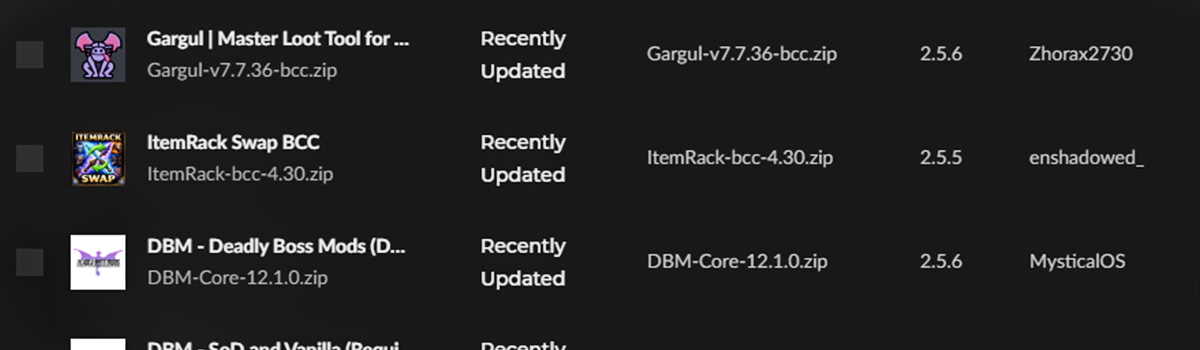
Addons have long been a staple in World of Warcraft, and even though there has been a big shift recently in retail (WoW's Midnight expansion), this has not impacted Classic in quite the same way.
Addons are still as accessible as they’ve ever been and in this article, we break down which addons you should have as you continue your journey through the Dark Portal!
Quick Links
TBC Classic Addons
In this section we'll run through a list of addons we recommend and break down why.
Details
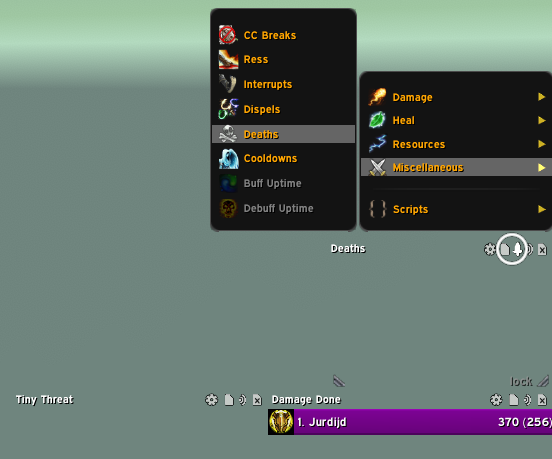
Details! Damage Meter is a great tool for PvE content. Although it is mostly used to show damage and healing, it can also be used for many other helpful resources on an encounter. You can have multiple Details windows up showing Interrupts, Deaths, Dispells, Threat, and even who broke a crowd control effect!
Most players will just use it for its Damage meter, but we highly recommend exploring it's other features as well. ALL raid members should also utilize its built-in Threat meter, Tiny Threat.
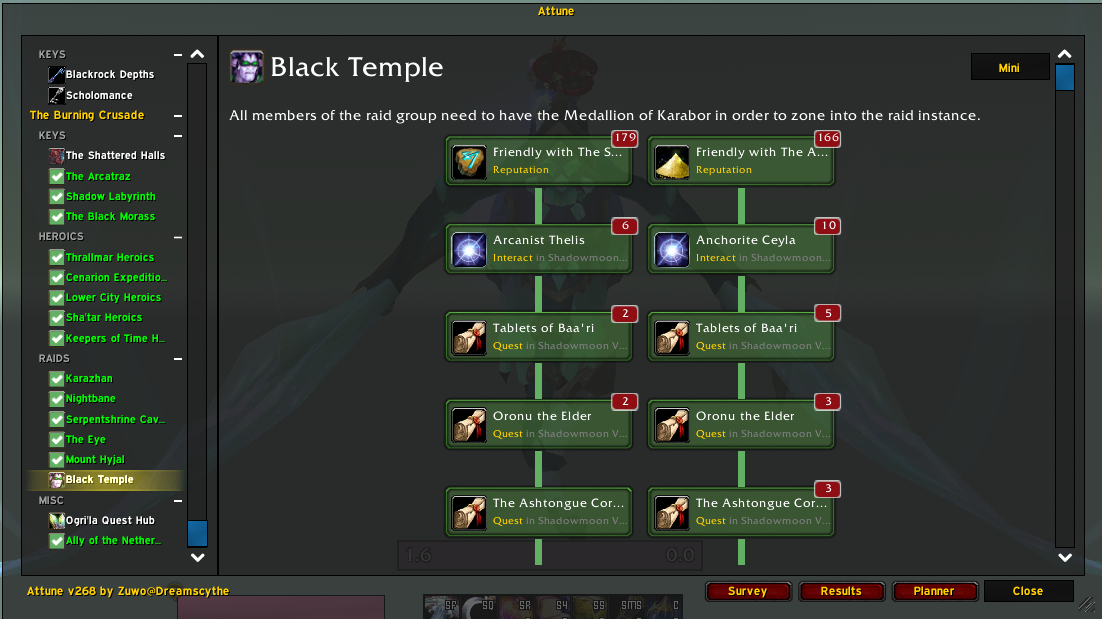
Attune
Attune is a phenomenal addon for tracking and assisting you on your attunements in TBC. Attunements are a staple in The Burning Crusade, and although some are short and sweet, like Mount Hyjal, some are much more tedious, like Tempest Keep. Having a tracking guide built into your game makes it much more convenient for keeping up with your attunement process!
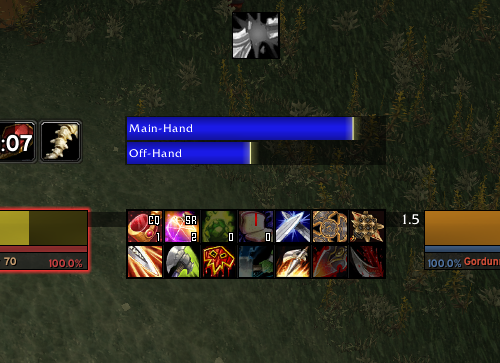
Any Weapon Swing Timer
Weapon swing timers are a non-negotiable for all physical DPS classes in The Burning Crusade Classic. Hunters need a swing timer to ensure they do not clip their Auto Shots when casting Steady Shot, Warriors want to make sure their weapons are not in sync, whereas Shamans do want to make sure their weapons are in sync, and Retribution Paladins need a swing timer in order to seal twist between Seal of Command and Seal of Blood.
The traditional WeaponSwingTimer addon can do this for all, and it even includes a target swing timer, allowing for tanks and healers to see when a target will auto attack them. However, Retribution Paladins should look into a specific swing timer for their rotation, and we recommend SwedgeTimer (TBC Anniversary Update) for them.
Plater
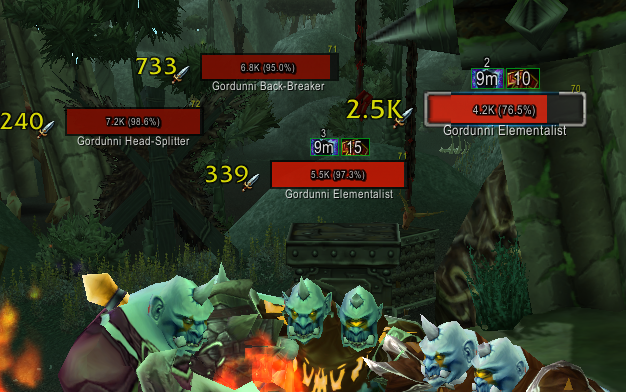
Although Blizzard has now implemented their own modern nameplates from the Midnight API, the addon Plater just offers much more customization for the player. It’s color code for threat, and adjusting whether or not you’re the tank very much simplifies whether or not you’re safe or not in group/raid PvE content.
Deadly Boss Mods
Similar to what we said with a threat meter, you should not enter any sort of PvE content without some sort of boss mod addon. Deadly Boss Mods has been around for ages and allows players to keep track of mechanics and when they are about to trigger. In older content such as Classic WoW, it does your entire raid a disservice to not have any sort of boss mod addon installed.
Talented - TBC
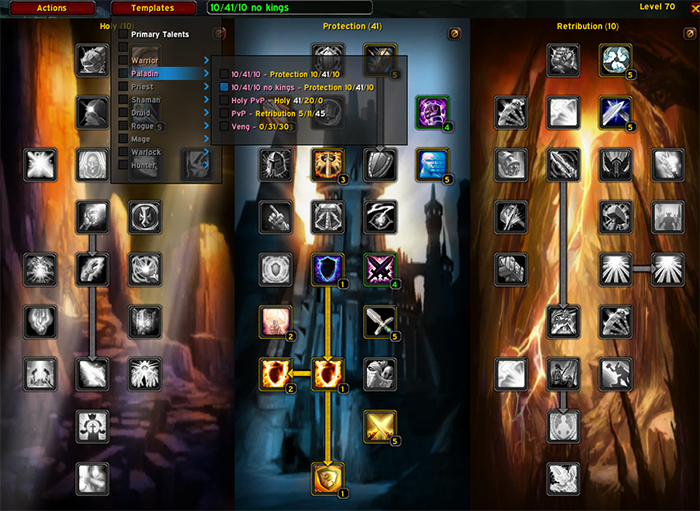
In Wrath of the Lich King, players would get an option to preview their talents before actually submitting them. Before then, players would get no such option. Either you put the talent in the right spot, or you had to pay some gold to respec! With this addon, however, you get back that option of previewing your talents. Simply create a template, save that template, and then activate that template whenever you need!
Extended Character Stats
Extended Character Stats, or ECS for short, is a great addition to your character panel, allowing you to see your stats more organized and on one sheet, versus having to tab over and click which type of stats you want to see.
ItemRack Swap - BCC
The adjusted version of ItemRack for TBCC Anniversary, this addon allows you to create and save gearsets and swap with the click of a button, versus having to manually reequip each piece. Similar to Talented, we would not get this option built into the game until Wrath, so this addon allows you to do that until then!
Tip: If you alt-left-click on your character model in your character panel, it’ll create a new button on your screen to allow for opening up all your gearsets versus having to go into the options menu. The same can be done for your trinkets, allowing you to swap between them with ease!
Method Raid Tools
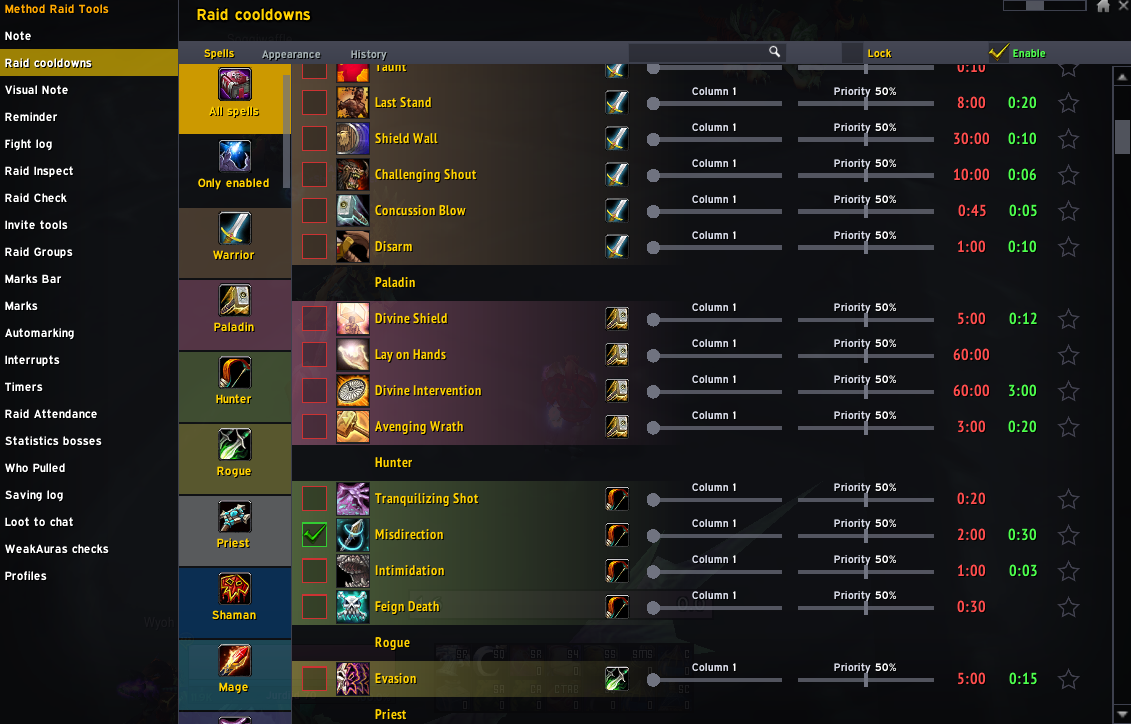
This addon is almost a non-negotiable for any raid leader. Method Raid Tools has a large variety of options, but arguably the two most popular features are the additions to a /readycheck and being able to see all of your raid's cooldowns and timers on your screen. When you do a readycheck, you will see who is/isn’t consumed, and who has/doesn’t have their proper buffs.
With raid cooldowns, you can customize which cooldowns you want to see on your screen, and also customize the UI of this feature to your liking with some templates the addons offer. There are plenty of other awesome features on here, including a Note you can have on your screen to see assignments so you don’t have to tab over to a 2nd monitor to check!
Gargul/RCLootCouncil Classic
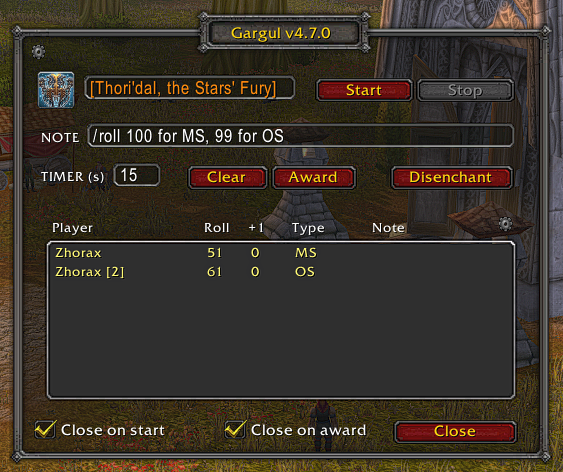
These are two separate addons but both serve a great function for raid leaders in regards to Loot. Gargul does a phenomenal job for any pug raid leader or any guild that uses Softres.it, as you can import the Soft Reserve sheet straight into Gargul and use its UI to automatically roll loot and give it to the correct person.
RCLootCouncil is similar to Gargul, but preferred for folks who use Loot Council versus a reserve system. This does require everyone to download it for it to work, however. The UI is customizable, and you can choose who has the power to vote based on their guild rank.
Everyone will get to choose options such as BIS, Major Upgrade, Minor Upgrade, and Pass, created by the Master Looter (unless you opted to use the default settings), and the assigned players on the loot council will see how everyone voted, which greatly helps in determining how loot is distributed.
Tip: If you do start using RCLootCouncil, when everyone downloads it, make sure you have all the proper settings adjusted beforehand if you’re the Loot Master, but also have everyone reload their game when they’re in the instance for it to work properly. You can send out a test roll to see if everyone gets it or not beforehand, and to see if your other members of the loot council have access to voting!
Baganator/Auctionator
These two addons are made by the same developer, but are great quality-of-life addons when playing Classic WoW! The former, Baganator, is a clean bag addon that organizes and displays all your bags in one big bag UI, versus separate bags. You can customize how items are sorted, and can change the size and shape of the bag display.
Auctionator adds a simpler way to buy and sell items off the auction house, allowing you to prevent yourself from being scammed by people who list items with a low bid but an extremely high buyer price. When selling items, it will always put it 1 copper lower than the current lowest bid, to put your item at the top but also prevent you from undercutting your profit by accident!
Damnation
This is a great add-on for tanks, as it will automatically remove Blessing of Salvation from you if you’re a tank, in case one of those pesky Paladins buffs you incorrectly or forgets to tell you they gave it to you!
Myslot
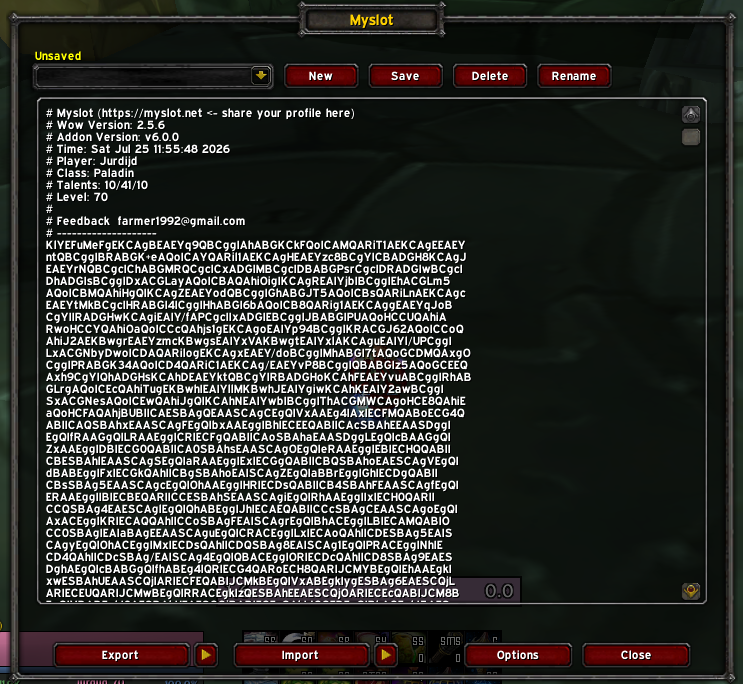
This is a great addon for those who play on multiple devices or enjoy playing on Public Test Realms. Myslot will copy your keybinds on your character and allow you to import it anywhere! Simply export your character's keybinds, copy the text, then import it by pasting it into another account or computer's game!
BugGrabber/Bugsack
These two addons are great for catching bugs and preventing Lua errors from spamming your screen, should you have any. If you click on their addon icons, they’ll show you what bugs/errors they captured, allowing you to diagnose what issues are happening in game.
Tip: I’d recommend immediately going into the addon settings and muting it asap, as it will spam a high-pitched “fatality’ sound every time it captures a bug/error, which can be quite annoying!
WeakAuras
Although WeakAuras have hit a snag in Midnight, they are still alive and well in Classic! WeakAuras are almost like addons within addons, and can provide very helpful reminders, assist with tanking, auto mark targets, and more!
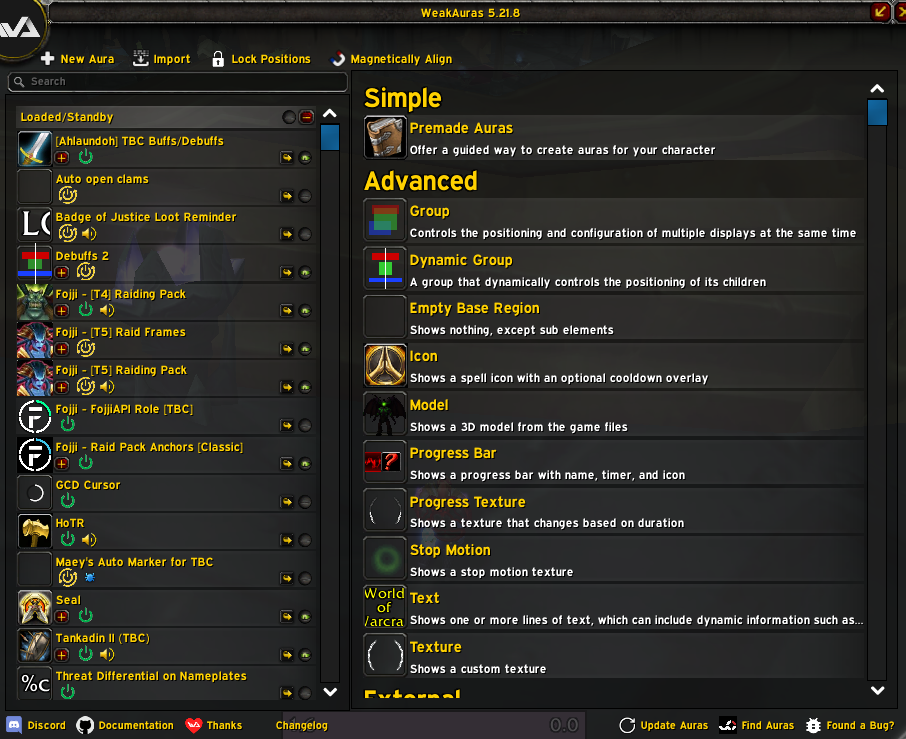
There are WeakAuras for nearly EVERYTHING in World of Warcraft. As mentioned earlier, WeakAuras, in a nutshell, are pretty much just addons within an addon, allowing for a variety of uses, from very niche customizable content for your class and spec to overall game performance! Wago.io is home to most WeakAuras for all versions of World of Warcraft.
Reminder Weakauras
WeakAuras are great for reminders for certain classes and specs. For example, a Prot Paladin would 100% want a Righteous Fury reminder WeakAura, as this could be a fatal mistake to forget to remove it. The Tankadin II WeakAura not only does that, but it also displays their stats, allowing them to see if they are Avoidance Cap, Crit Cap, how much Spell Power they have, and more!
Warriors should also have a “shout reminder” WeakAura, as it's not hard to forget to reapply a powerful attack power buff every 2 minutes. Our final example here would be an Enhancement Shaman having a “totem twisting” WeakAura, allowing them to properly see the timer on their Windfury Totem and when to drop it again after dropping their Grace of Air Totem.
Class Weak Aura Packs
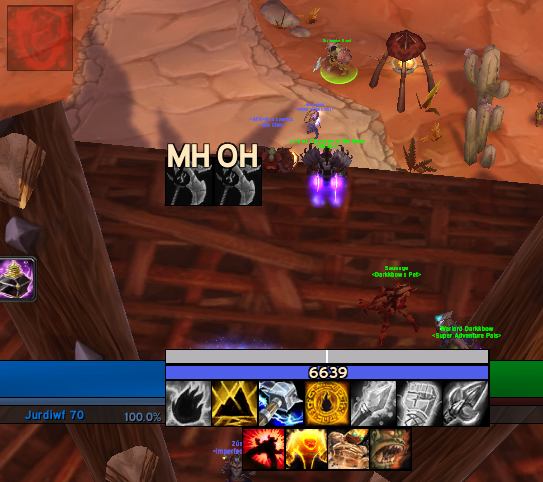
Class WeakAura packs are great for putting everything you need for your specific class and spec in the middle of your screen right below your character, allowing for minimal eye movement when needing to see class mechanics.
A lot of these packs will include a built-in weapon swing timer for physical DPS, and will typically include your most important abilities and cooldowns as well, so you can see their timers without having to look down at your action bar. Creators like Merfin and Ahlaundoh make packs for every class and spec, and some creators like Subtle make packs for their specific class/spec that they play.
Below is an example of Ahlaundoh's Enhancement Shaman WeakAura pack. You can see a weapon swing timer, mana bar, shock timers, a Stormstrike timer, totem reminders/timers, important cooldowns, and then above, it lets the player know if he needs to imbue his weapons, and on the top left it shows that the player needs to reapply Water Shield!
Maey’s Auto Marker for TBC
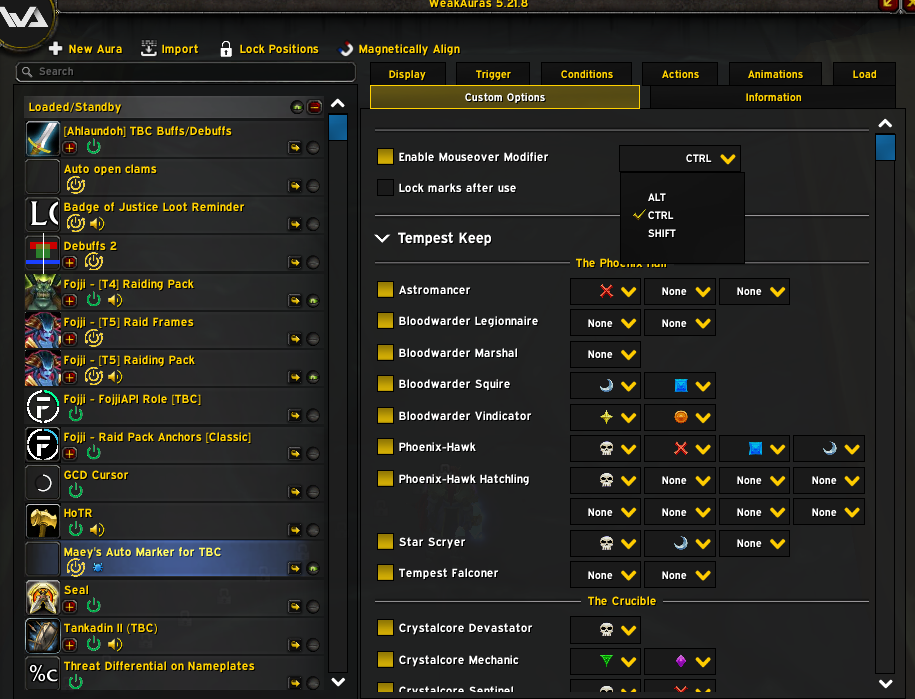
There are two of these out there, but only one works. This WeakAura allows you to auto mark mobs in all raids in TBC Classic. You can customize what you want mobs marked to allow for easy kill orders and which ones need to be crowd controlled. All you do is go to the Custom Options tab, and then you can choose which markers which mobs get.
From there, you can adjust how you auto-mark them. In the picture below, the setting shows that holding down Ctrl while hovering over them will place the marker on them. This will save an IMMENSE amount of time in raids versus manually marking them yourself.
Threat Differentials on Nameplates
This is a great WeakAura for tanks as it does exactly what it says in game. The Threat Differential WeakAura allows you to see every mob's threat by their nameplates so you can swap to whatever mob may be low on threat. This is also a great WeakAura for DPS players as well, so they can see if they’re about to pull threat on a mob! You can see it in the Plater section mentioned earlier in addons.
Zulgin - Reputation Bar
The Zulgin Reputation WeakAura shows all your reputations in TBC in one spot, and allows you to customize which reputations you want to see.
We hope these Addon and WeakAura recommendations help. Customizing your UI is a guaranteed way to improve performance, and these recommendations above should assist with that on your journey in TBC Classic Anniversary!