
 Up to 84% Off VPN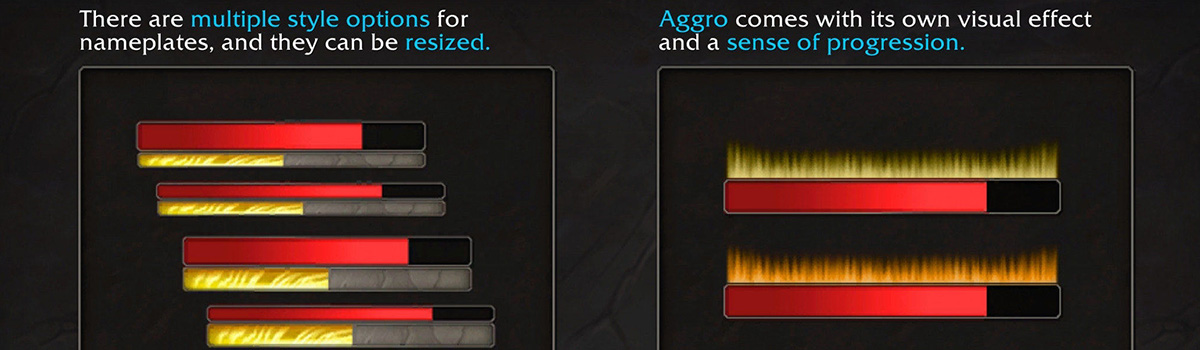
Last year, Blizzard announced that the latest expansion in World of Warcraft, Midnight, would include significant UI overhauls, including restrictions and changes to certain addons. Prior to this, The War Within had also added Edit Mode, allowing players to more easily customize their UI without the use of addons.
The question used to be, “Would these changes ever come to Classic?” Now the question is, "What's coming and how do we use these features?"
Quick Links
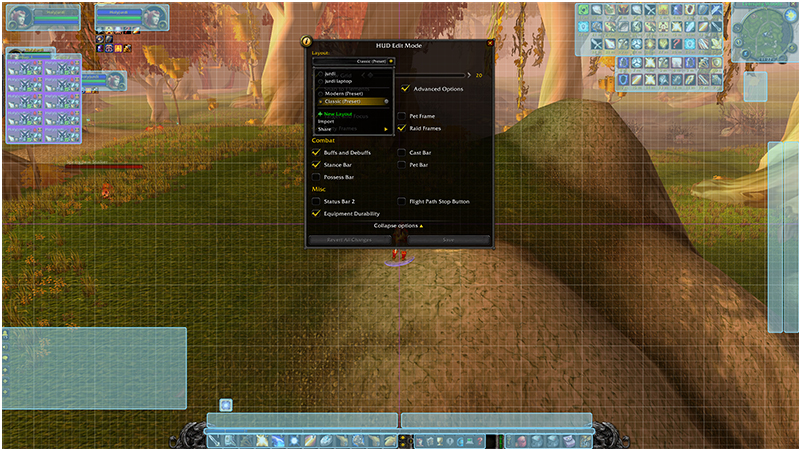
Edit Mode
Tip: You can access Edit Mode through the main menu, or make a macro with the following "/script ShowUIPanel(EditModeManagerFrame)" for quicker access!
In January of this year, the Anniversary Servers transitioned into The Burning Crusade. During the pre-patch, Blizzard took this time to add modern World of Warcraft's Edit Mode feature to these servers. Just this past month, MoP Classic players would also receive this update in the Siege of Orgrimmar patch.
For the "Classic purist", Blizzard did include a “Classic” preset that allow players to make their UI look as if nothing had changed. For players who were open to the change and newly-added flexibility, it allowed them to adjust their UI to their liking without needing certain addons like Bartender and Elvui to do so.
Midnight’s Transmog System in MoP Classic
Players who were excited for Mists of Pandaria Classic’s final raiding tier with Siege of Orgrimmar were also given an additional surprise, as Blizzard also decided to push Midnight's API fully over to MoP as well. This included several new updates: Blizzard's new Nameplates, Raidframes, Edit Mode, and also their new Transmog UI and features.
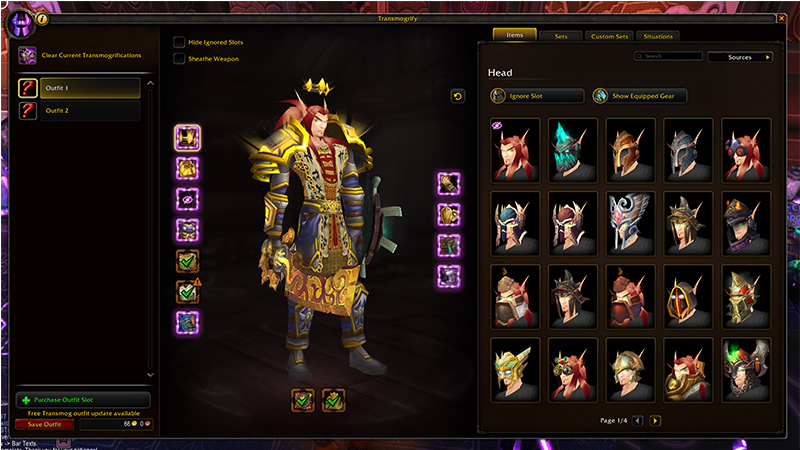
The new transmog system was met with very high praise, as players in MoP Classic were excited to use this cleaner updated system. The updated UI shows all of you completed sets and custom sets in their own tabs, along with the really cool "situations" tab that will change your outfits in situations like weather, time of day, and whether you're inside or outside!
With regards Edit Mode, Nameplates, and Raidframes, at this point in the game, most players already had their UI's and such customized through their addons, so these changes really didn't have a huge impact. Players will notice some differences from Midnight with raidframes, as some of the buff/debuff displays are not working as intended.
New Nameplates and Raidframes
Blizzard also added some of the Midnight’s API changes to the Anniversary Servers along with MoP Classic, granting access to the new Nameplates and Raidframes. TBC Classic also received these recently on July 7th, while MoP servers received these back in their last content patch. Era, Hardcore, and SoD will be receiving this update the following week. These features, as mentioned earlier, allow for much easier access to UI customization for players without the use of addons.
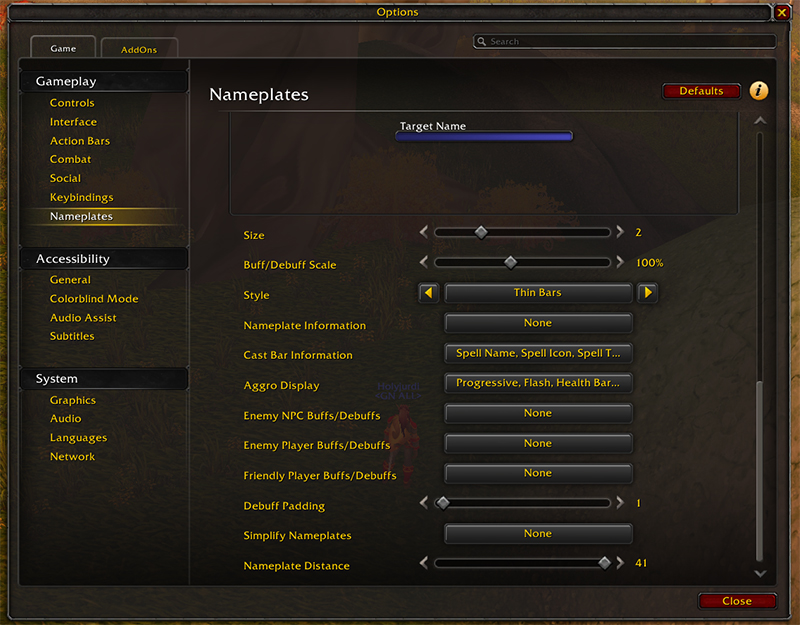
Players can find the Midnight nameplate customization under the new "Nameplates" tab in the Options menu. From here, players can customize their Nameplates through a large variety of ways with templates, size, buffs, cast bars, and more!
Note: The option to toggle on/off YOUR name has moved from "Interface" to this section as well.
With regards raidframes, these are still located in the "Interface" tab. These updates are more of a visual update, and not a system update. The most notable change will be highlights over raid frame units for dispellable buffs
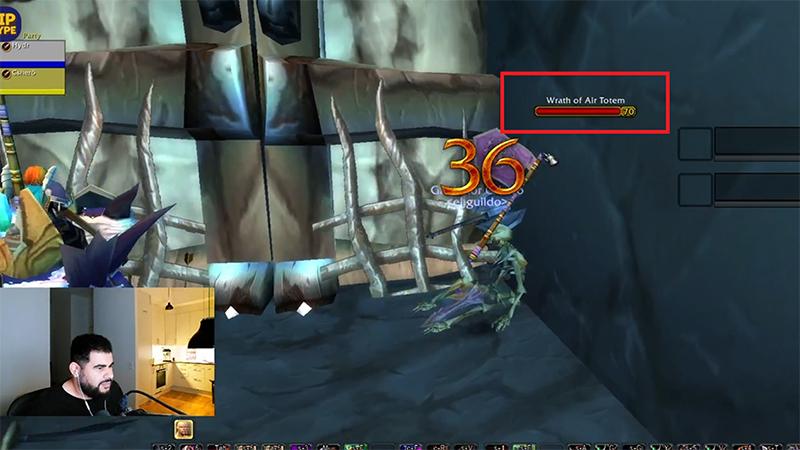
Be aware that there are some bugs from this update that should be getting fixed in the future. Players at the moment are able to see nameplates they shouldn't, such as enemy nameplates in Arenas before the battle has started, and through barriers such as walls and floors, which can cause some clutter on your screen. For the time being, you can alleviate this by adjusting your nameplate distance in the menu.
Blizzard Has also included some scripts players can run to add some features back into their Nameplates that don't exist in the menu options:
- Nameplate Class Color for Enemy Units:
/script C_CVar.SetCVar("nameplateShowClassColor", 1);
- Nameplate Class Color for Friendly Units:
/script C_CVar.SetCVar("nameplateShowFriendlyClassColor", 1);
- Disabling Raid Frame Dispel Highlights:
/script C_CVar.SetCVar("raidFramesDispelIndicatorOverlay", 0);
What About Era, Hardcore and SoD?
It was noted in Blizzard's recent blue post that Era, Hardcore, and Season of Discovery servers will also finally be getting these updates the following week, meaning every single version of Classic will have Midnight's current API.